在 leaflet 加载 flask 后台数据 (2)
webgis 2020-02-02
python
flask
leaflet
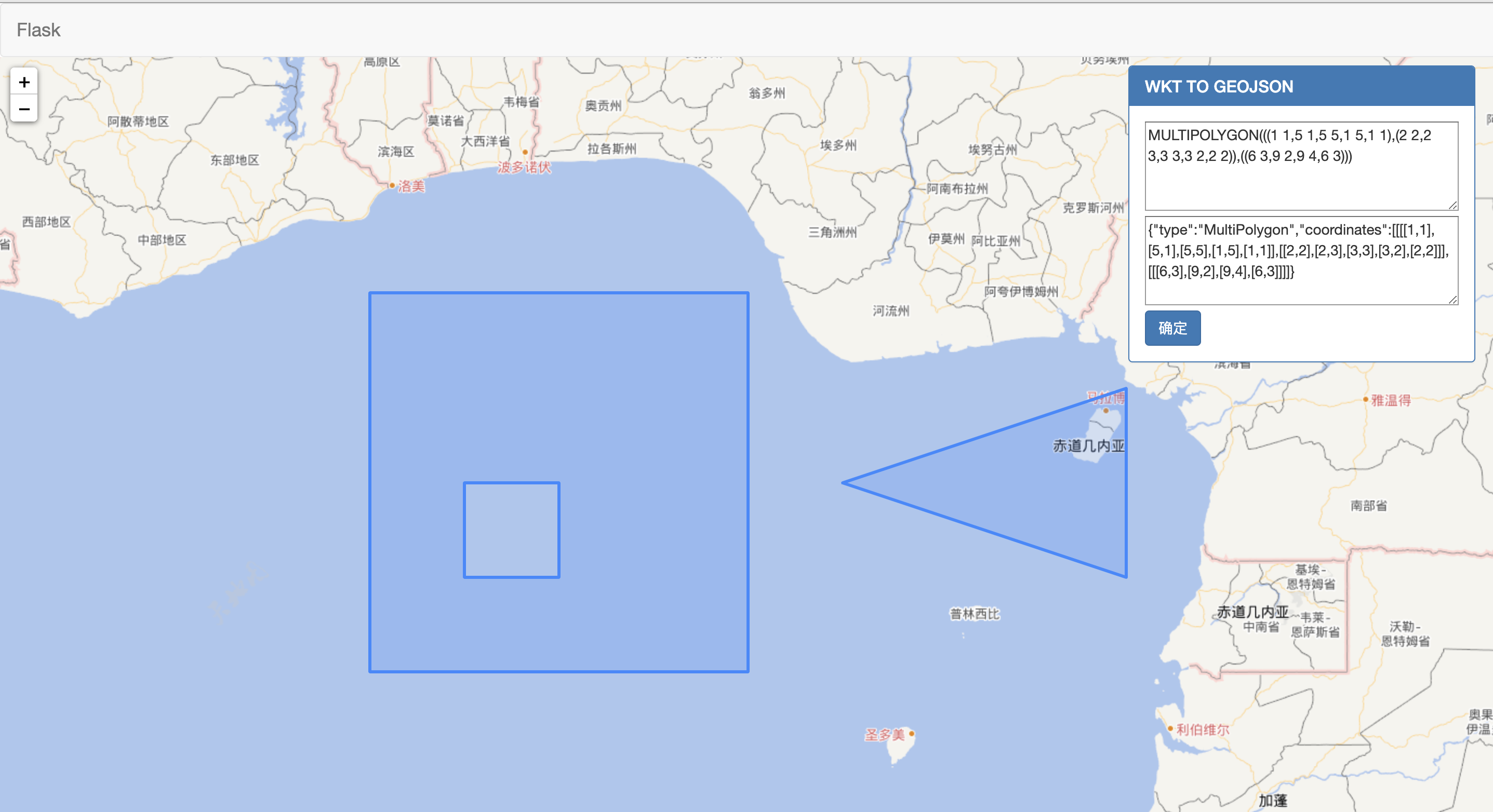
# 完成效果图
# 创建 ogr_geometry.py 文件
    # *_* coding:utf8 *_*

      from osgeo import  ogr

      # wkt 转 geojson
      def create_wkt_to_geojson(wkt):
          geo = ogr.CreateGeometryFromWkt(wkt)
          return geo.ExportToJson()
1
2
3
4
5
6
7
8
2
3
4
5
6
7
8
# 修改 app.py
      # 引入
      import json

      from flask import Flask,render_template,request

      from flask_wtf.csrf import CSRFProtect

      from gis.ogr_geometry import create_wkt_to_geojson
    # 新增 wkt_to_geojson
      @csrf.exempt
      @app.route('/gis/wkttogeojson/',methods=['POST'])
      def wkt_to_geojson():

          data  = json.loads(request.data.decode())
          print(data)
          inwkt = data.get('inwkt')

          outgeojson = create_wkt_to_geojson(inwkt)

          print(inwkt,outgeojson)

          return  outgeojson
1
2
3
4
5
6
7
8
9
10
11
12
13
14
15
16
17
18
19
20
21
22
23
2
3
4
5
6
7
8
9
10
11
12
13
14
15
16
17
18
19
20
21
22
23
# 修改 index.html 新增面板
<div class="panel   panel-primary panel-postion">
	<div class="panel-heading">
		<h3 class="panel-title">WKT TO GEOJSON</h3>
	</div>
	<div class="panel-body">
		<form name="fm">
			<input type="hidden" name="csrf_token" value="{{ csrf_token() }}" />
			<textarea name="inwkt" cols="40" rows="4" placeholder="请输入wkt" style="OVERFLOW:   hidden"></textarea
			><br />
			<textarea name="outgeojson" cols="40" rows="4" placeholder="输出geojson" style="OVERFLOW:   hidden">
    {{ outgeojson }}</textarea
			><br />
		</form>

		<button class="btn btn-primary" onclick="transform()">确定</button>
	</div>
</div>
1
2
3
4
5
6
7
8
9
10
11
12
13
14
15
16
17
2
3
4
5
6
7
8
9
10
11
12
13
14
15
16
17
# 修改 index.js 新增 transform 方法
function transform() {
	var data = JSON.stringify({
		inwkt: document.fm.inwkt.value,
	});
	$.ajax({
		url: '/gis/wkttogeojson/',
		type: 'POST',
		contentType: 'application/json; charset=utf-8',
		data: data,
		dataType: 'json',
		success: function(data) {
			document.fm.outgeojson.value = JSON.stringify(data);
			var geojsonLayer = L.geoJSON(data).addTo(map);
			map.flyToBounds(geojsonLayer.getBounds());
		},
	});
}
1
2
3
4
5
6
7
8
9
10
11
12
13
14
15
16
17
2
3
4
5
6
7
8
9
10
11
12
13
14
15
16
17